
check_circle Purchase Complete
Thank you for your purchase!
photo_camera Photo Ready! - Click to expand
Complete your purchase to download your official passport photo.
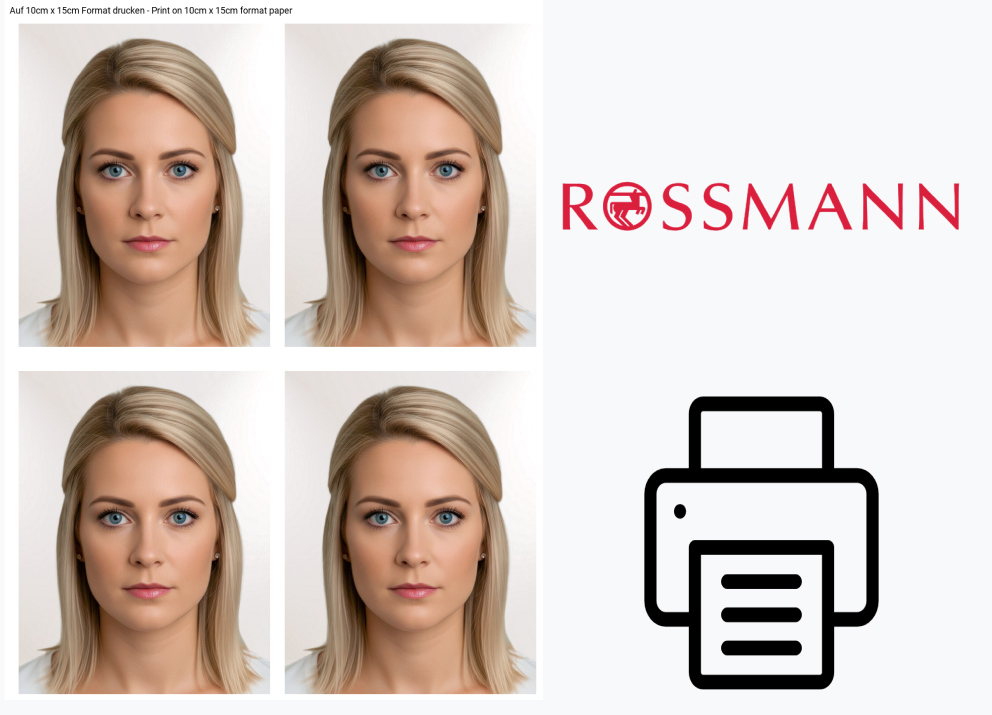
Print passport photos at Rossmann using CEWE Photo machines step by step 2026
Updated on 17.01.2026
In this guide, we show you how to print your passport photos at Rossmann stores using their CEWE Photo machines.
Requirements
You need a smartphone with camera and internet access to upload photos to the CEWE Photo machine at Rossmann. A 10 x 15 cm template with passport photos is recommended for best results.
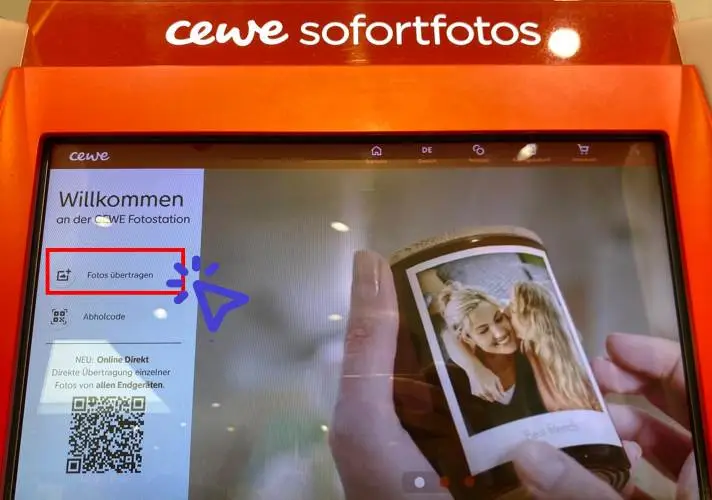
Start
Select "Transfer Photos" on the screen by tapping on it.
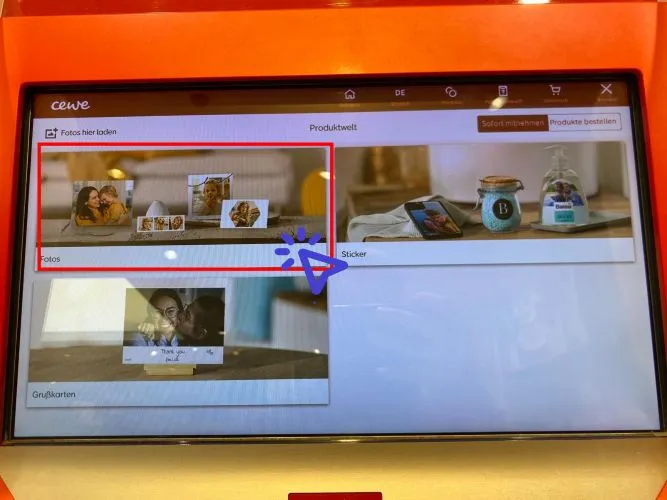
Select "Photos"
Choose "Photos" from the selection.

Select "Photos" again
Select "Photos" again.
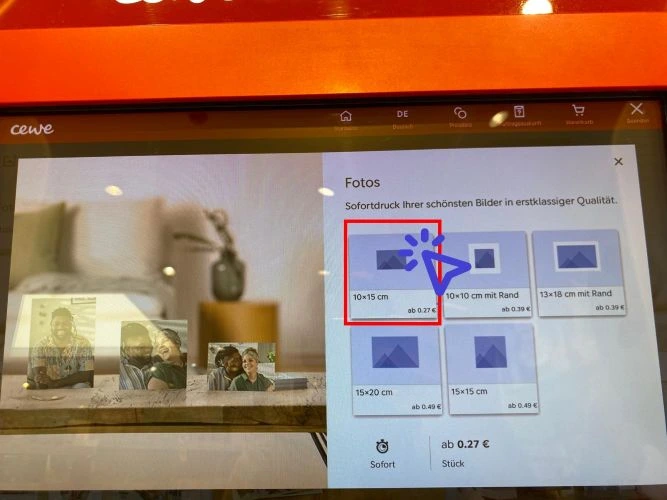
Choose 10 x 15 cm format
Select "Smartphone" if you have the photos saved on your smartphone.
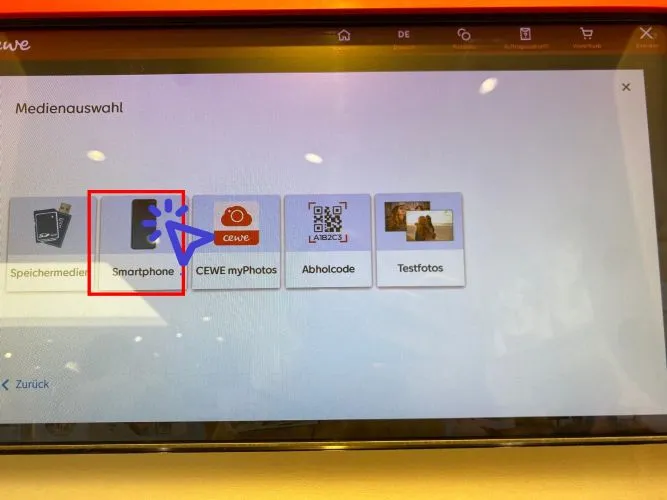
Select "Smartphone"
The cable connection works for all types of smartphones. If you prefer, you can also choose one of the other options.
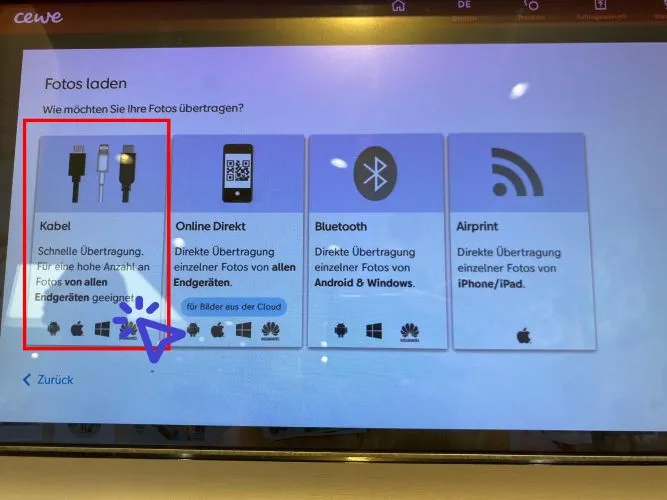
Select "Cable"
For iPhone users: We added the photo to the photo gallery and then selected it as a Favorite so that it appears in the Favorites folder. Otherwise, it can be difficult to identify and find the correct image.
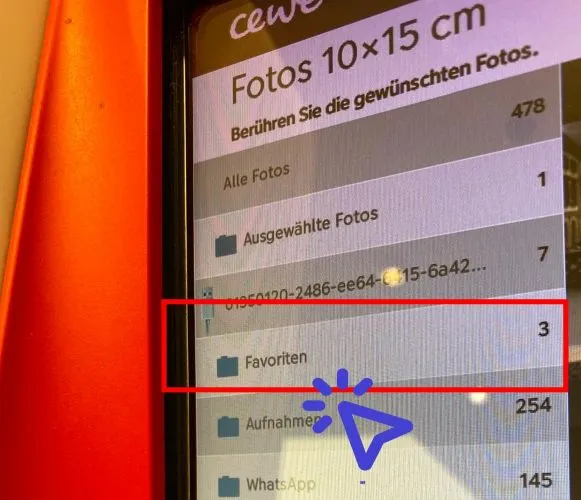
Choose your photos
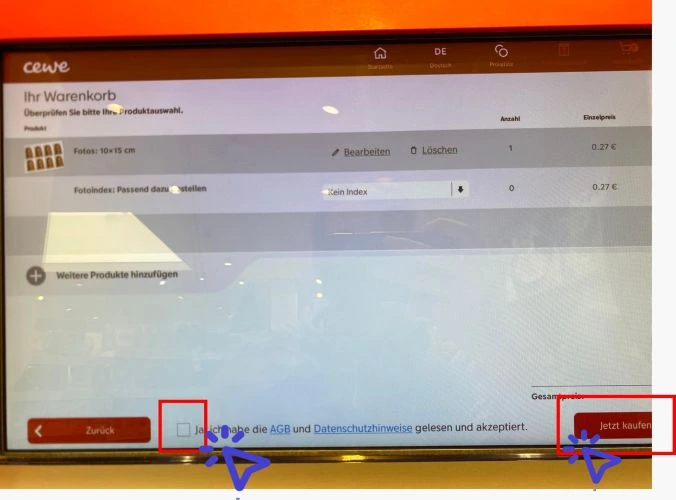
Check the box and select "Purchase Now"
Review your purchase.
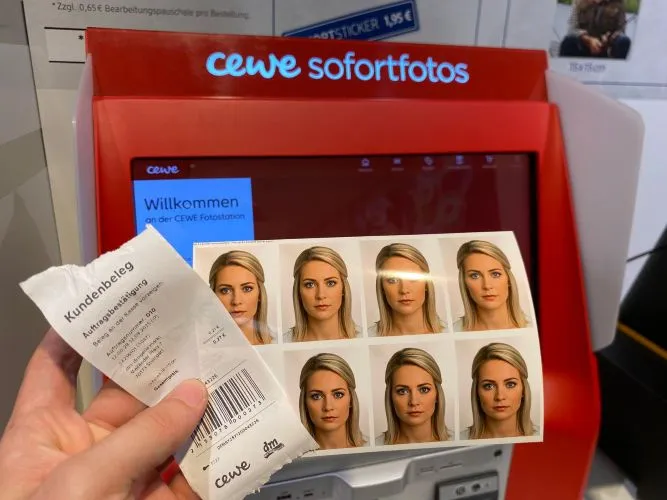
Collect your photos, take the receipt, and go to pay
You're done! Go ahead and pay at the cashier.
No passport photos taken yet?
Create professional biometric passport photos from the comfort of your own home!
Create passport photos